
Select 360 Talentos feature
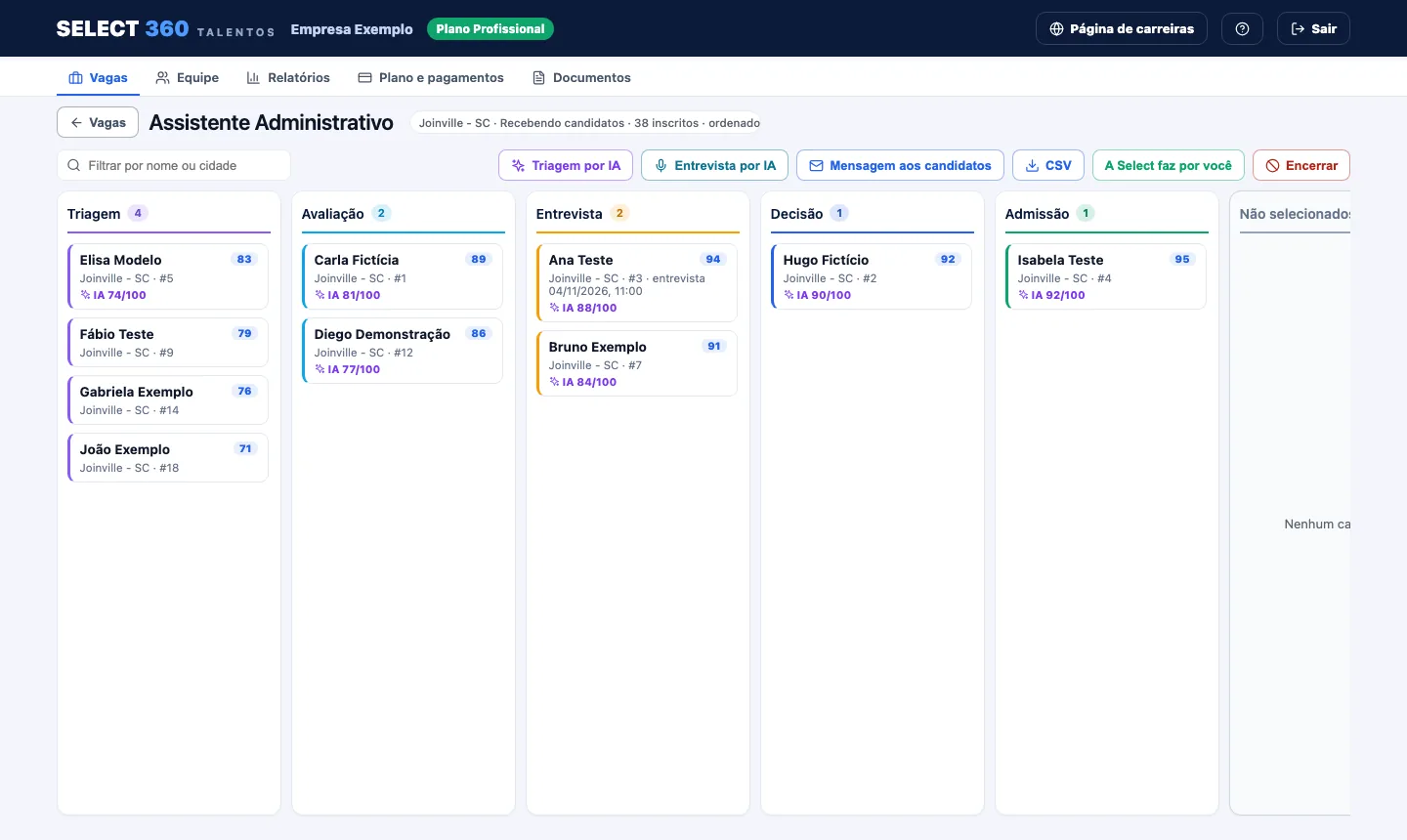
Process kanban
Every candidate at their stage, from first contact to hiring.

See it in action
System screens with fictitious data ("Ana Teste", "Empresa Exemplo") and the public demo.
What it is
The kanban shows the selection process in columns: new, screening, interview, approved and hired.
You move the card from stage to stage. Anyone not selected gets automatic feedback.
Benefits
- The whole process in one place.
- No candidate forgotten.
- Automatic feedback to everyone.
How it works
Want to see it in action? Start with your first job!

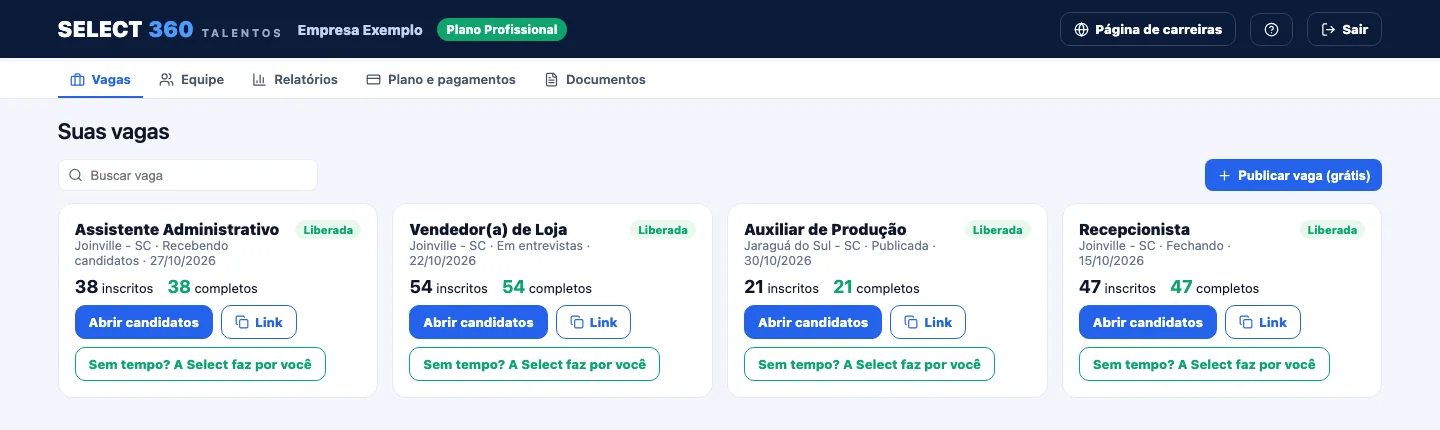 Candidates arriveEach application becomes a card in the new column.
- Move between stagesDrag the card or change the stage on the profile.
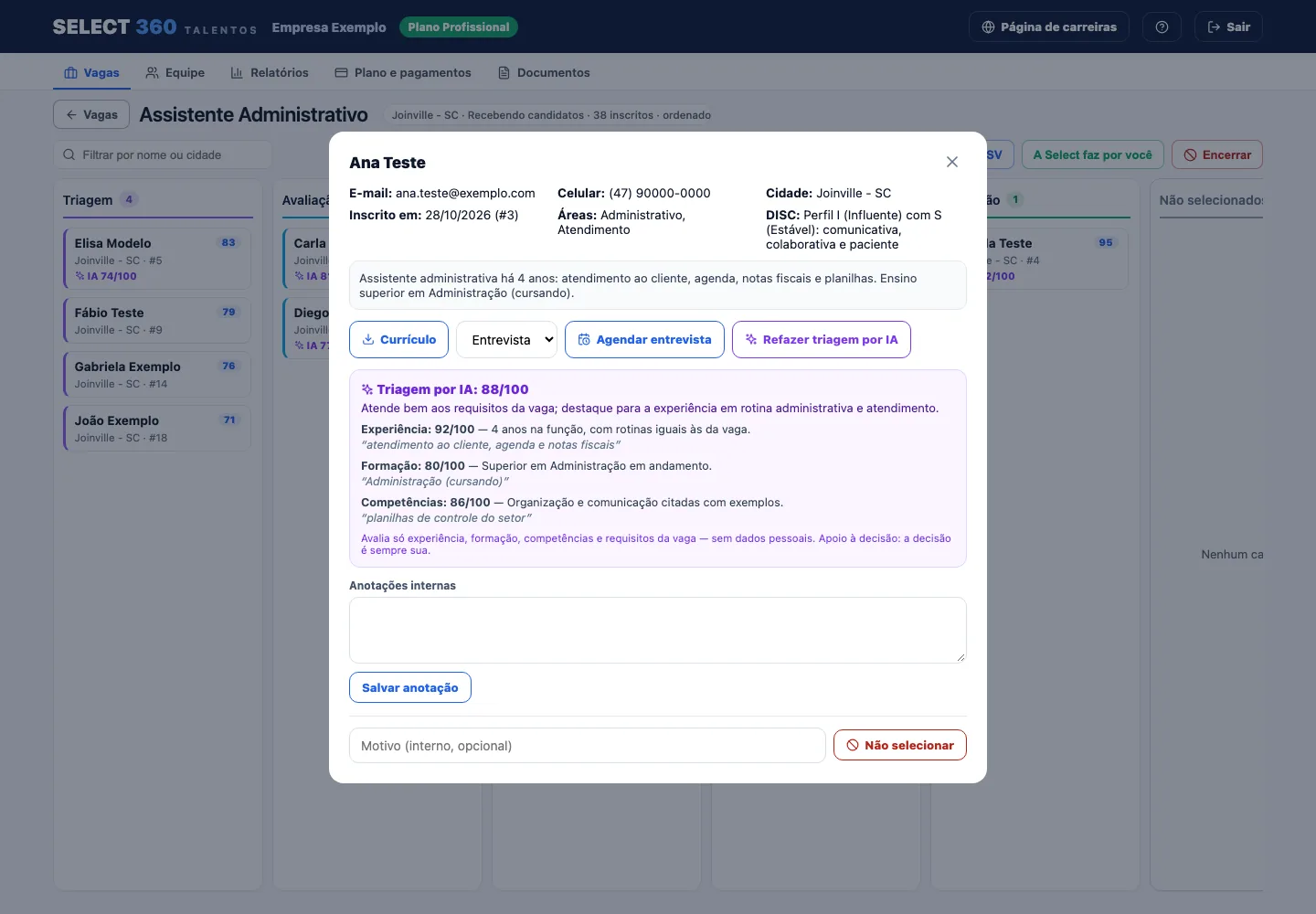 Close the jobCandidates not approved get feedback.
Without Select 360 Talentos × With Select 360 Talentos
Without Select 360 Talentos
- Résumés scattered across email and WhatsApp
- Hours reading résumé after résumé
- Candidates who never hear back
- Jobs shared by word of mouth
- No numbers on the process
With Select 360 Talentos
- Every candidate in one place, job by job
- Ranking by fit and AI screening
- Automatic feedback to everyone
- A branded careers page and the Select 360 Talentos portal
- Reports by job, stage and source
Who it is for
- Any company that posts jobs, including on Free.
Which plans include it
Prices in Brazilian reais (BRL). Service offered in Brazil. Under the terms of use, jobs are also shared on the Select 360 Talentos network.
Frequently asked questions
Is it on the free plan?
Yes. The kanban is on every plan.
Can several people use it?
Free has 1 user; Professional and Pro, up to 3.
Ready to hire better?
Start today. If you prefer, our team recruits for you.
Post a job for free (opens in a new tab)